FAQ
Alles, was zu dieser App am häufigsten gefragt wird. Wenn deine Frage fehlt, schick sie uns.
Welche Spiele sind in der App?
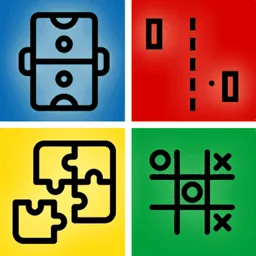
Drei: Tic-Tac-Toe, Air Hockey und Pong. Du wählst eines im Menü und kannst jederzeit wechseln — alle sind enthalten, es gibt nichts freizuschalten.
Spielen beide Spieler auf demselben Handy?
Ja, genau darum geht es. Ihr legt das Gerät flach zwischen euch und jeder nimmt ein Ende. Jeder Spieler hat seine eigene Steuerung auf seiner Bildschirmhälfte, zu ihm hin gedreht.
Kann ich allein gegen den Computer spielen?
Nein. Diese App ist speziell für zwei Personen an einem Gerät gemacht. Wenn du Spiele mit Bots für die leeren Plätze willst: 1 2 3 4 Player Games kann das und hat Platz für bis zu vier.
Gibt es eine Android-Version?
Im Moment nicht — sie ist nur im App Store für iPhone und iPad. 1 2 3 4 Player Games kommt dem bei Google Play am nächsten und deckt Spiele für zwei genauso ab wie für drei und vier.
Braucht die App eine Internetverbindung?
Nein. Beide Spieler sind ja schon am selben Ort, es gibt also nichts, womit man sich verbinden müsste — kein Matchmaking, kein Raumcode, kein Konto. Es funktioniert komplett offline.
Funktioniert es auf einem iPad?
Ja, und besonders Air Hockey ist darauf besser — ein größerer Tisch gibt beiden Spielern mehr Platz für ihren Schläger.
Ist es kostenlos?
Ja, kostenlos herunterladen und spielen, alle drei Spiele sind von Anfang an verfügbar.
Wie lange dauert ein Spiel?
Etwa eine Minute. Gespielt wird über mehrere Runden, damit nicht ein Glückspunkt alles entscheidet, und die App ist auf die Revanche ausgelegt statt auf eine lange Sitzung.
Ist es für Kinder geeignet?
Ja. Die drei Spiele sind Klassiker ohne Gewalt, ohne Chat und ohne Möglichkeit, über die App jemanden zu kontaktieren — und man muss nichts lesen, um sie zu spielen.
How do I request a feature or report a bug?
- Go to the report page.
- Fill in the form and send it.
- I will respond via email.
How do I remove ads in the app?
- Ads are only shown to non-Pro users.
- To disable ads, purchase a subscription or a one-time Pro upgrade if the app offers one.
How do I cancel a subscription?
On iOS/iPadOS/macOS:
- Settings → your name → Subscriptions, then select the subscription to cancel.
- Or go directly to Apple Subscriptions.
On Android:
- Play Store → your profile → Payments & subscriptions → Subscriptions.
- Or go directly to Play Store Subscriptions.
How do I uninstall the app?
On iOS/iPadOS/macOS:
- Hold the app icon on your home screen and tap the delete icon.
- Or go to Settings → General → iPhone Storage, select the app, and tap Delete App.
On Android:
- Hold the app icon and drag it to the uninstall icon.
- Or go to Settings → Apps, select the app, and tap Uninstall.
Disclaimer: if your data isn't saved to the cloud, it will be lost — data is stored locally on your device.
What should I do if the app stopped working?
Some basic troubleshooting steps:
Restart the device (no data lost):
- Hold the power button and slide to power off.
- Wait 10 seconds, then turn it back on.
Clear cache or reinstall (data will be lost — back it up first):
- On Android: Settings → Apps → select the app → Clear cache / Clear data.
- On iOS/iPadOS/macOS: delete the app and reinstall it from the App Store.
How do I restore purchases?
- Open the app and go to Settings.
- Tap Restore Purchases.
How do I update the app?
- Open the App Store or Play Store.
- Go to the updates section.
- Find the app and tap "Update".
How do I change the app language?
- Open the app and go to Settings.
- Select "Language".
- Choose your preferred language from the list.
How do I enable notifications?
- Open the app and go to Settings.
- Select "Notifications".
- Toggle the switch to enable them.
Do you offer a discount?
Not at this moment.
How often are updates released?
Roughly every 2-3 weeks, depending on the app.