Preguntas frecuentes
Todo lo que la gente suele preguntar sobre la app. Si la tuya no está aquí, envíanosla.
¿Qué juegos incluye la app?
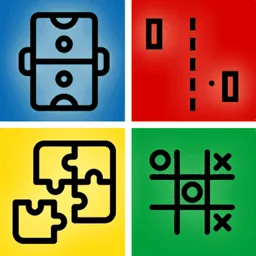
Tres: Tic-Tac-Toe, Air Hockey y Pong. Eliges uno en el menú y puedes cambiar cuando quieras: están todos incluidos, no hay nada que desbloquear.
¿Los dos jugadores usan el mismo teléfono?
Sí, de eso se trata. Dejas el dispositivo en la mesa entre los dos y cada uno se pone en un extremo. Cada jugador tiene sus propios controles en su mitad de la pantalla, orientados hacia él.
¿Puedo jugar solo contra la máquina?
No. Esta app está hecha específicamente para dos personas compartiendo un dispositivo. Si quieres juegos con bots que ocupen los sitios vacíos, 1 2 3 4 Player Games lo hace y admite hasta cuatro jugadores.
¿Hay versión para Android?
Por ahora no: está solo en la App Store, para iPhone y iPad. 1 2 3 4 Player Games es lo más parecido en Google Play, e incluye juegos para dos además de para tres y cuatro.
¿Necesita conexión a internet?
No. Los dos jugadores ya estáis en el mismo sitio, así que no hay nada a lo que conectarse: sin emparejamientos, sin códigos de sala, sin cuenta. Funciona totalmente sin conexión.
¿Funciona en un iPad?
Sí, y el air hockey en concreto se disfruta más: una mesa más grande da a los dos jugadores más espacio para mover su paleta.
¿Es gratis?
Sí, gratis para descargar y jugar, con los tres juegos disponibles desde el principio.
¿Cuánto dura una partida?
Un minuto más o menos. Las partidas se juegan a varias rondas para que un punto con suerte no lo decida, y la app está pensada para la revancha más que para una sesión larga.
¿Es apta para niños?
Sí. Los tres juegos son clásicos sin violencia, sin chat y sin ninguna forma de contactar con nadie a través de la app, y no hace falta leer nada para jugar.
How do I request a feature or report a bug?
- Go to the report page.
- Fill in the form and send it.
- I will respond via email.
How do I remove ads in the app?
- Ads are only shown to non-Pro users.
- To disable ads, purchase a subscription or a one-time Pro upgrade if the app offers one.
How do I cancel a subscription?
On iOS/iPadOS/macOS:
- Settings → your name → Subscriptions, then select the subscription to cancel.
- Or go directly to Apple Subscriptions.
On Android:
- Play Store → your profile → Payments & subscriptions → Subscriptions.
- Or go directly to Play Store Subscriptions.
How do I uninstall the app?
On iOS/iPadOS/macOS:
- Hold the app icon on your home screen and tap the delete icon.
- Or go to Settings → General → iPhone Storage, select the app, and tap Delete App.
On Android:
- Hold the app icon and drag it to the uninstall icon.
- Or go to Settings → Apps, select the app, and tap Uninstall.
Disclaimer: if your data isn't saved to the cloud, it will be lost — data is stored locally on your device.
What should I do if the app stopped working?
Some basic troubleshooting steps:
Restart the device (no data lost):
- Hold the power button and slide to power off.
- Wait 10 seconds, then turn it back on.
Clear cache or reinstall (data will be lost — back it up first):
- On Android: Settings → Apps → select the app → Clear cache / Clear data.
- On iOS/iPadOS/macOS: delete the app and reinstall it from the App Store.
How do I restore purchases?
- Open the app and go to Settings.
- Tap Restore Purchases.
How do I update the app?
- Open the App Store or Play Store.
- Go to the updates section.
- Find the app and tap "Update".
How do I change the app language?
- Open the app and go to Settings.
- Select "Language".
- Choose your preferred language from the list.
How do I enable notifications?
- Open the app and go to Settings.
- Select "Notifications".
- Toggle the switch to enable them.
Do you offer a discount?
Not at this moment.
How often are updates released?
Roughly every 2-3 weeks, depending on the app.