FAQ
Tutto quello che di solito ci si chiede sull'app. Se la tua domanda non c'è, scrivici.
Quali giochi ci sono nell'app?
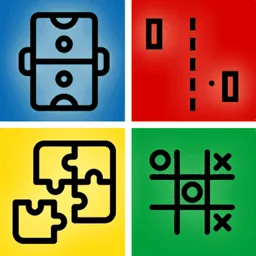
Tre: Tris, Air Hockey e Pong. Ne scegli uno dal menu e puoi cambiare quando vuoi: sono tutti inclusi, senza niente da sbloccare.
Entrambi i giocatori usano lo stesso telefono?
Sì, è tutta l'idea. Appoggiate il dispositivo tra voi e prendete un lato ciascuno. Ogni giocatore ha i suoi comandi sulla sua metà dello schermo, orientati verso di lui.
Posso giocare da solo contro il computer?
No. Questa app è fatta appositamente per due persone che condividono un dispositivo. Se vuoi giochi con dei bot a riempire i posti vuoti, 1 2 3 4 Player Games fa proprio questo e arriva fino a quattro giocatori.
Esiste una versione Android?
Al momento no: è sull'App Store solo per iPhone e iPad. 1 2 3 4 Player Games è la cosa più simile su Google Play, e comprende giochi per due oltre che per tre e quattro.
Serve una connessione internet?
No. I due giocatori sono già nello stesso posto, quindi non c'è niente a cui connettersi: nessun matchmaking, nessun codice stanza, nessun account. Funziona completamente offline.
Funziona su iPad?
Sì, e l'air hockey in particolare è meglio su iPad: un tavolo più grande dà a entrambi i giocatori più spazio per muovere la stecca.
È gratis?
Sì, gratis da scaricare e giocare, con tutti e tre i giochi disponibili da subito.
Quanto dura una partita?
Circa un minuto. Le partite si giocano su più round, così un punto fortunato non decide tutto, e l'app è costruita intorno alla rivincita più che a una singola sessione lunga.
È adatta ai bambini?
Sì. I tre giochi sono classici senza violenza, senza chat e senza alcun modo di contattare qualcuno tramite l'app, e per giocare non serve leggere niente.
How do I request a feature or report a bug?
- Go to the report page.
- Fill in the form and send it.
- I will respond via email.
How do I remove ads in the app?
- Ads are only shown to non-Pro users.
- To disable ads, purchase a subscription or a one-time Pro upgrade if the app offers one.
How do I cancel a subscription?
On iOS/iPadOS/macOS:
- Settings → your name → Subscriptions, then select the subscription to cancel.
- Or go directly to Apple Subscriptions.
On Android:
- Play Store → your profile → Payments & subscriptions → Subscriptions.
- Or go directly to Play Store Subscriptions.
How do I uninstall the app?
On iOS/iPadOS/macOS:
- Hold the app icon on your home screen and tap the delete icon.
- Or go to Settings → General → iPhone Storage, select the app, and tap Delete App.
On Android:
- Hold the app icon and drag it to the uninstall icon.
- Or go to Settings → Apps, select the app, and tap Uninstall.
Disclaimer: if your data isn't saved to the cloud, it will be lost — data is stored locally on your device.
What should I do if the app stopped working?
Some basic troubleshooting steps:
Restart the device (no data lost):
- Hold the power button and slide to power off.
- Wait 10 seconds, then turn it back on.
Clear cache or reinstall (data will be lost — back it up first):
- On Android: Settings → Apps → select the app → Clear cache / Clear data.
- On iOS/iPadOS/macOS: delete the app and reinstall it from the App Store.
How do I restore purchases?
- Open the app and go to Settings.
- Tap Restore Purchases.
How do I update the app?
- Open the App Store or Play Store.
- Go to the updates section.
- Find the app and tap "Update".
How do I change the app language?
- Open the app and go to Settings.
- Select "Language".
- Choose your preferred language from the list.
How do I enable notifications?
- Open the app and go to Settings.
- Select "Notifications".
- Toggle the switch to enable them.
Do you offer a discount?
Not at this moment.
How often are updates released?
Roughly every 2-3 weeks, depending on the app.